As an Amazon Associate, we earn from qualifying purchases. Some links on this site are affiliate links at no extra cost to you. Our recommendations are based on thorough research and editorial judgment.


How To Interpret Swing Analyzer Data Like A Golf Pro?

Interpreting swing analyzer data requires understanding key metrics. Focus on swing speed, measured in mph; a higher speed increases distance. Analyze ball speed for efficiency, aiming for a smash factor of 1.5. Pay attention to launch angles—ideal drivers range from 15° to 17°. Monitor spin rate and axis for shot control; high spin rates can reduce distance. Customize drills based on data insights to target specific faults. By incorporating these elements, golfers enhance their skills effectively. Discover further insights on optimization.
Key Takeaways
- Analyze swing speed and ball speed to maximize distance; aim for a smash factor near 1.5 for optimal efficiency.
- Evaluate launch angles: ideal ranges include 15°-17° for drivers and lower angles for iron shots to improve precision.
- Assess club path and face angle relationships; maintain a face-to-path difference within ±2 degrees to ensure accurate ball flight.
- Utilize launch monitors and swing analyzers for data-driven practice, allowing precise adjustments based on performance metrics.
- Regularly track key progress metrics like tempo, timing, and swing speed to identify patterns and target specific skill improvements.
Understanding Your Swing Speed and Ball Speed
You may be interested


Understanding swing speed and ball speed is essential for golfers aiming to maximize their performance.
- Swing Speed: This refers to the speed of the clubhead at impact, typically measured in mph. Higher swing speeds correlate with increased distance, as seen with professionals like Rory McIlroy, averaging 123.6 mph for 320 yards.
- Ball Speed: Defined as the velocity of the golf ball after impact, ball speed is directly linked to swing efficiency. Efficient energy transfer, indicated by a smash factor near 1.5, maximizes ball speed.
- Distance Correlation: Improved swing speed and efficient strike quality directly impact total distance. Golfers can benefit from tailored equipment, enhancing performance while accommodating their unique swing speed for best results. Additionally, using a voice caddie SC4 PRO can help track and analyze swing metrics effectively.
Analyzing Launch Angles for Optimal Performance

How can golfers leverage launch angles to enhance their performance on the course? Understanding launch angles is essential for swing enhancement. The launch angle is the initial angle at which the ball departs the clubface, influenced by club loft and attack angle.
- For drivers, an ideal launch angle ranges from 15° to 17°, promoting maximum distance.
- Irons require lower angles for control, allowing precision on approach shots.
- Wedges benefit from higher angles to guarantee rapid stopping upon landing.
Using modern launch monitors, players can analyze these metrics to refine their techniques. By adjusting their attack angle and club choices, golfers can achieve desirable launch angles, enhancing both distance and accuracy while making sure their performance remains competitive. Additionally, the Rapsodo MLM2PRO provides instant feedback on launch angles, helping golfers make real-time adjustments during practice sessions.
The Importance of Spin Rate and Spin Axis

In golf, spin rate and spin axis are pivotal factors that influence shot performance.
- Spin Rate: This measures the number of revolutions per minute (rpm) after impact. For example, a pitching wedge at 72 mph can produce around 8,408 rpm. Higher spin rates can increase shot height and stopping power but may reduce distance if excessive.
- Spin Axis: This indicates the tilt angle of the ball’s spin. It affects curving tendencies, with positive values causing a fade and negative values leading to a draw. Understanding spin axis allows golfers to intentionally shape their shots. Golf swing trainers can further enhance your ability to control these factors through focused practice.
Effective control of both spin rate and spin axis is essential for achieving shot precision and ultimately lowering scores on the course.
Evaluating Club Path and Face Angle Relationships

When evaluating the relationship between club path and face angle, golfers can gain valuable insights into their shot outcomes. Understanding these metrics helps enhance shot accuracy and consistency.
- Club Path: Measures the direction of the clubhead at impact. Positive values indicate an in-to-out path, promoting draw shots.
- Face Angle: Indicates the direction the clubface is pointing. A square face relative to the club path produces straight shots.
When the face angle differs from the club path, the shot diverges from the target.
– A face open to the path can lead to fades, while a closed face may result in hooks.
For peak performance, aim for a face-to-path difference within ±2 degrees to control ball flight effectively. This understanding promotes effective adjustments in swing mechanics. Additionally, utilizing a swing analyzer can provide real-time feedback, enhancing your ability to make these necessary adjustments during practice.
Recommended Products

What's Included: Enjoy indoor golf simulation with the included Optishot 2, software, USB cable, adjustable rubber tees, and two foam practice golf balls.

Advanced Golf Launch Monitor – The Rapsodo MLM2PRO golf launch monitor delivers pro-level accuracy, measuring 13 core golf metrics, including spin rate, spin axis, and swing speed, making it a golf training aid
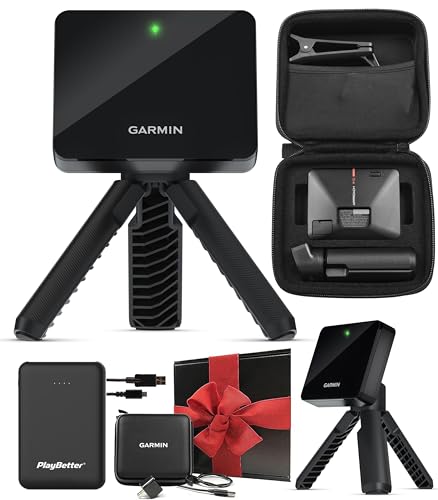
Get More from Your Game: Train anywhere with the Approach R10 launch monitor and golf simulator featuring shot metrics, swing video capture, virtual rounds, and up to 10-hour battery life. Enjoy the upgraded Home Tee Hero app with realistic graphics, 43,000+ courses, enhanced courses, and on-course practice mode.
Phase Segmentation: Breaking Down Your Swing

Phase segmentation provides golfers with a structured approach to analyzing their swings, necessitating attention to specific phases for improvement.
- Key Phases: The golf swing is divided into five phases: Address, Backswing, Downswing, Impact, and Follow-through. Each phase plays a crucial role in swing dynamics.
- Phase Changes: Identifying phase changes is essential. For instance, biomechanical analysis of angular velocity provides key markers that define moments like Address and Impact.
- Data Utilization: Inertial Measurement Units and video-based pose estimation enhance understanding. They track movements, revealing pivotal swing components. Utilizing tools like the HS 130-A Portable Golf Launch Monitor can provide accurate metrics to further refine your technique.
These insights foster targeted practice, guiding golfers toward more effective swings and improved performance, creating a sense of community through shared learning and advancement in the sport.
Utilizing Technology for Accurate Feedback
Utilizing cutting-edge technology has transformed the way golfers receive feedback on their swings, considerably enhancing their practice sessions. Key advancements include:
- Launch Monitor Technology: Systems like TrackMan and GCQuad offer precise data on over 27 swing parameters, creating effective feedback loops.
- Real-Time Insights: Instant data on club path and ball spin enables quick adjustments, helping players connect technology integration with swing improvement.
- Advanced Signal Processing: Techniques utilizing IMUs and machine learning enhance data quality, ensuring accuracy within 1-3% of outdoor performance. Additionally, modern launch monitors provide comprehensive metrics that track multiple parameters to facilitate targeted practice and improvement.
Recommended Products

SKYTRAK ST MAX Launch Monitor – Delivers tour-level accuracy with dual Doppler radar, photometric cameras, and GOLFTEC Speed Training to help you build speed and distance - plus dual ports so you can charge and play without interruption.

Precision Tracking Technology: Fine-tune your form with this premium launch monitor and simulator that utilizes a 3-camera system for precision metrics

Enhance Your Training with 3-Camera Precision: Equipped with a sophisticated 3-camera system, Premium Golf Launch Monitor and Simulator Approach R50 captures detailed ball and club metrics that reveal insights like ball speed, launch angle, and face-to-path alignment. This data allows golfers to finetune every aspect of their swing with precise feedback, making it an ideal tool for dedicated players looking to improve both indoors and outdoors with consistent accuracy.
Identifying and Correcting Common Swing Faults
Identifying and correcting common swing faults is essential for golfers looking to enhance their performance on the course. Implementing swing fault analysis can pinpoint specific areas for improvement. Key strategies include:
- Posture Correction: Proper setup prevents lower back stress and enhances rotation.
- Swing Path Adjustments: Addressing an over-the-top swing path can reduce slicing.
- Wrist Position Optimization: A proper wrist angle prevents an open clubface, enhancing shot power.
- Weight Transfer Techniques: Correct weight shifts help maintain balance and improve shot accuracy.
- Balance Enhancement: Emphasizing stability during swings reduces the risk of injuries. Regular practice with golf impact bags can further reinforce these techniques and promote muscle memory for consistent performance.
Recommended Products

Play Year-Round' The Garmin Approach R50 Premium Golf Launch Monitor and Simulator lets you play on 43,000+ virtual courses from home or the range.
Fine-tune your form with this premium launch monitor and simulator that utilizes a 3-camera system for precision metrics

【Golf Simulator Impact Screen 8 ft x 10 ft】: Features a 62.8" H x 111.6" W viewing area with an overall assembled size of 98.4" H x 119.5" W, providing a spacious, high-impact surface ideal for golf simulation setups and home practice enclosures
Customizing Drills Based on Swing Data
Customizing drills based on swing data allows golfers to enhance their skills with precision and effectiveness. Drill personalization is crucial for achieving peak performance. Key aspects include:
- Club Path Adjustments: Utilize data to correct slices by encouraging an in-to-out path, improving accuracy.
- Club Head Speed Metrics: Focus on drills that increase speed through explosive movements, essential for longer drives.
- Attack and Launch Angles: Adjust tee heights and ball positions to enhance trajectory and distance control.
- Transition and Downswing: Implement rhythm exercises to improve hand path consistency and overall swing fluidity.
Using launch monitors guarantees drills yield measurable improvements. With these swing adjustments, golfers can fine-tune their practice regimen, fostering a sense of community and shared growth in their golfing journey. Additionally, incorporating alignment rods during practice can provide visual guidance to further enhance swing accuracy.
Recommended Products

Designed for Golf Cart: Align wheels of your Golf Cart with rim sizes between 8-15 inches on any hard surface.

ALL-IN-ONE GOLF TRAINING AID. Includes 3 alignment sticks and a precision angle plate to dial in aim, alignment, swing plane, ball positioning, and putting start line. Features every tour-proven drill in one compact and durable tool.

REAL TIME FEEDBACK | Use with our padded golf alignment rods to quickly create precise golf training angles that keep you in your desired swing channel. If you make contact, don't worry. Our padded golf sticks will protect you & your clubs.
Tracking Your Progress Over Time
Tracking progress over time is essential for golfers seeking to refine their skills and improve performance. Utilizing specific progress metrics guarantees that golfers can measure their development effectively. Key areas to monitor include:
- Swing Speed: Track increases in distance and power.
- Tempo and Timing: Record ratios for backswing length and change sequences to analyze consistency.
- Stroke Metrics: Assess putting and short game by measuring tempo and backstroke length.
Data visualization tools, such as wearable technology and dedicated apps, can enhance understanding. Maintaining a digital log of swings allows golfers to conduct side-by-side comparisons, revealing patterns and enabling adjustments. Scheduling regular reviews promotes a culture of continuous improvement, facilitating goal-setting aligned with professional standards and personal aspirations. Additionally, integrating insights from performance metrics can provide golfers with a deeper understanding of their progress and areas for improvement.
Recommended Products

THIS BUNDLE CONTAINS: 1 Garmin Approach S70 Golf Smartwatch | Full-Color CourseView Maps | High-Quality AMOLED Display | Advanced Shot Execution & Putt Alignment | Immersive Golfing Experience + 1 Garmin Approach CT10 Full Kit, Club Tracking System (14 Sensors) + 1 Signature Series Watch Stand with Charging Cable + 1 Signature Series 5000mAh Portable Power Bank with Wall Charger and Car Plug Adapter

TOUR LEVEL SHOT TRACK ACCURACY — Doppler radar & dual camera setup ensure reliable data on every shot to help you improve faster.

Wide Sole Design The wide sole design of Launcher MAX Irons adds forgiveness and helps create more consistent turf interaction.
Frequently Asked Questions
How Often Should I Analyze My Swing Data?
Frequent analysis of swing data enhances swing consistency, with dedicated golfers ideally reviewing post-practice, and beginners benefiting from weekly checks. Maintaining consistent data frequency helps identify trends and fosters a supportive community among peers.
Can I Use Swing Data for Different Clubs?
Swing data can illuminate a golfer’s journey; however, club comparisons are essential for data accuracy. Each club tells a unique story, necessitating tailored analysis to avoid misleading conclusions and guarantee harmonious swings across the bag.
What Is the Ideal Swing Speed for My Skill Level?
The ideal swing speed varies by skill level; beginners average 70-85 mph, intermediate players reach 85-100 mph, while advanced amateurs and professionals exceed 100 mph. Understanding this helps golfers connect and improve their game collectively.
How Can Weather Conditions Affect My Swing Data?
Weather conditions greatly influence swing data. How can golfers adapt to wind impact and humidity effects? Adjustments in technique, club selection, and strategy become essential for consistent performance, fostering a deeper connection with the game and each other.
Should I Adjust My Swing Based on Data From Every Shot?
No, adjusting the swing based on data from every shot undermines swing consistency and could hinder performance improvement. It’s crucial to recognize patterns over time, advocating for thoughtful adjustments rather than impulsive reactions.


